

For clubs serious about finding the best GPS tracker for grassroots football, the STATSports Apex Athlete Series usually comes out on top. It nails the balance between pro-level data, player-friendly design, and decent team management tools, making top-tier performance stats more accessible than ever before.
Finding Your Team's Competitive Edge
Most grassroots buyers are not trying to recreate a Premier League sports-science department. They want reliable sprint numbers, useful heatmaps, manageable battery life, and an app that does not become another job after training. That is the lens we used here.
A tracker dropped down our ranking if it was too dependent on ongoing subscription spend, awkward to assign across multiple players, unclear in its reporting, or built more for solo fitness tracking than football movement. In our review, STATSports stayed ahead because it gives the most balanced package for this audience: strong football-specific metrics, practical battery life, and a pricing model that makes more sense for players and smaller clubs over time.
Why Data Matters at the Grassroots Level
With children's participation in football in England staying consistently high, with around 40 percent of 5 to 16-year-olds playing during the 2023-24 season, the spotlight on quality development is brighter than ever. You can explore this trend in the report on football sport involvement in England. This technology supports that development with hard numbers.
- Objective Feedback: You can stop saying "you need to work harder" and start saying "your sprint distance dropped by 20% in the last 15 minutes." It's specific and impossible to argue with.
- Injury Prevention: Keep a close eye on player load to prevent overtraining, a common problem in amateur leagues with relentless fixture lists.
- Tactical Analysis: Use heatmaps to check if players are holding their positions and if the team is maintaining its shape when the pressure is on.
To give you a head start, here's a quick rundown of the main contenders we'll be breaking down in this guide.
| Feature Area | STATSports Apex Athlete | Catapult One | Playertek+ |
|---|---|---|---|
| Primary User | Individual players & teams | Team-focused coaches | Individuals & small teams |
| Pricing Model | Upfront cost, free app | Subscription-based | Upfront cost, free app |
| Key Metric Focus | Pro-level metrics, speed | Team sync, player load | Core stats, ease of use |
| Best For | Detailed individual analysis | All-in-one team management | Budget-conscious beginners |
Choosing the best GPS tracker for grassroots football really comes down to matching the tech to your club’s goals and budget. Whether you're a coach trying to find a tactical advantage or a player aiming for the next level, the right data can change everything. For more ideas on boosting your team's performance, have a look at our guide on the essential grassroots football gadgets for 2026.
How We Picked the Best GPS Trackers for Grassroots Football
The focus was on features that matter in amateur football, not on pro-only sales language. The most important criteria were how useful the sprint and top-speed data is in real sessions, whether the system produces clear heatmaps and core match metrics, how easy it is to manage multiple players, and whether the battery lasts through training and matchday without constant charging.
We also looked hard at pricing structure. For a grassroots club, an attractive entry price can be misleading if the app becomes expensive across a full season. In practice, that made ownership model, reporting access, and coach workflow almost as important as raw performance data.
A device would be ruled out if it focused mainly on generic running stats, lacked practical football outputs such as heatmaps or sprint splits, or made squad use clumsy through weak player assignment and export options. What stood out to us is that the strongest systems are not necessarily the ones with the longest feature list; they are the ones that turn session data into something a coach can use within ten minutes of full-time.
STATSports leads this list because it is positioned for teams and academies, offers elite-grade speed, high-speed running, workload, and heat map tracking with no subscription required, and lists battery life of about 8 to 10 hours on the APEX Athlete Series product page. For readers who care most about sprint outputs, that balance of useful data and manageable cost is hard to beat.
How GPS Trackers Transform Grassroots Performance
Let’s be honest, for years grassroots coaching has relied on gut feeling and what you can see from the touchline. But GPS technology is changing that, giving clubs a powerful new way to understand player performance by swapping guesswork for hard facts. It's not about drowning in numbers; it’s about using the right data to make smarter coaching decisions, develop players more effectively, and build a more competitive team from the ground up.
The best GPS trackers for grassroots football give you clear, actionable insights that you can use straight away in training and on match day. Finally, coaches can answer important questions with data, not just observation.
For instance, you can use metrics like total distance covered, the number of sprints, and maximum speed to build a detailed physical profile for every player in your squad. Suddenly, you can tailor drills to individual needs and ensure every single session has a clear, measurable purpose.
From Data to Decisions
Magic happens when you turn that raw data into tangible actions on the pitch. Imagine showing a winger their heatmap to visually prove they aren't tracking back enough, or using sprint data to show a striker is losing acceleration late in the game. That kind of feedback is objective, specific, and hits home far harder than a general shout from the sidelines.
This data-backed approach helps with:
- Player Load Management: Track the intensity of each player's workload to stop overtraining before it starts. This can massively reduce the risk of those frustrating non-contact injuries that plague a demanding grassroots season.
- Positional Discipline: Use heatmaps to analyse if players are holding their shape, sticking to their roles, and covering the right areas of the pitch. No more guessing.
- Performance Benchmarking: Set individual goals based on personal bests for speed, distance, or sprints. This gives players clear, personal targets to aim for in every session.
A key advantage is making the invisible visible. You can finally quantify a player's work rate, spot fatigue before it leads to a mistake, and pinpoint the exact moments when tactical instructions are breaking down under pressure.
Beyond the tactical side, bringing in GPS tracking can be a huge motivator. When players see their own progress in black and white—a faster top speed or more sprints than last week—it creates a culture of personal accountability. Training becomes a game where they're constantly trying to beat their last performance.
A Broader Impact on Player Wellbeing
This focus on player health and development is massive. The positive health impact of grassroots football in the UK is enormous; participation helps prevent around 519,000 disease cases every year, saving the NHS an estimated £3.2 billion. It shows that optimising player fitness at every level really does contribute to a healthier community. You can read more about England Football's grassroots strategy to see the full picture.
Ultimately, using a GPS tracker is about more than just chasing elite-level stats. It’s about giving coaches the tools to provide better, more individualised guidance and empowering players to take ownership of their own development. It brings a new layer of professionalism and insight that can lift a team’s performance.
Comparing the Top GPS Football Trackers
For grassroots football, the best comparison points are not flashy marketing claims but eight practical checks: GPS sampling rate and consistency, sprint and top-speed usefulness, squad workflow, heatmaps, battery life, vest comfort, pricing model, and how easy it is to export or review reports after a session. Trackers that scored highest were the ones that made sense both on the pitch and back in the clubhouse, where coaches usually have five minutes to decide what the data means.
A useful football tracker should do more than tell you who ran the most. If sprint data is the priority, you want a system built for team performance rather than a generic running wearable. STATSports positions APEX for teams and academies and says it tracks elite-grade speed, high-speed running, workload, and heat maps with no subscription required and around 8 to 10 hours of battery life on its official specifications. SoccerWares also notes that Hudl’s football tracker records over 150 metrics, including top speed, total distance, and explosive accelerations, in this overview of soccer GPS tracking. That broader context matters, because sprint count by itself can be misleading unless it sits alongside acceleration, deceleration, and total load, a point reinforced in this soccer GPS tracker explainer. If you want a closer brand-specific breakdown, our PlayerMaker vs Catapult One guide is also worth reading before you decide.
STATSports Apex Athlete Series
For individual player development, STATSports is still the easiest recommendation. The sprint and top-speed outputs are strong enough to be useful, the heatmaps are clear, and the player-facing app does a good job of turning dry data into something motivating. STATSports often hits the sweet spot between detail and simplicity: enough information to guide training, but not so much that players ignore it.
For whole-squad monitoring, STATSports is good rather than perfect. It can work for team settings, especially at academy and amateur-club level, but the coach workflow is not as naturally centralised as Catapult’s more team-first setup. If your staff wants the cleanest squad dashboard above everything else, that is where STATSports gives up a little ground.
For budget-conscious clubs, the no-subscription structure is a major strength. Over one or two seasons, buying outright is often easier to justify than committing to monthly fees across multiple players. The main compromise is that clubs still need a clear process for charging, assigning, and collecting units after sessions.
Best fit: ambitious players, parents buying for development, and smaller clubs that want strong sprint data without recurring platform costs.
Where it falls short: less coach-centric than Catapult for larger squad oversight.
Catapult One
For individual players, Catapult One offers polished reporting and reliable core metrics, but it makes most sense when the buyer values the wider Catapult ecosystem and is comfortable with subscription spend. The player experience is solid, though in our view it feels more compelling when a coach or staff member is actively using the data rather than when a single player is self-managing.
For squad tracking, Catapult One is the standout of the three. Its structure is more naturally aligned with coaching staff who want a group-level picture of workload, training intensity, and comparative outputs across multiple players. If your priority is seeing who is underloaded, who has repeated high-speed efforts, and who may need a lighter session, Catapult is usually the cleaner team workflow. Readers who want to explore the platform directly can also check Catapult One.
For clubs on a tight budget, the tradeoff is obvious: lower upfront friction, higher total cost over time. Subscription pricing can be easier to start with, but it is often harder to sustain once you scale beyond a handful of units.
Best fit: coaches managing regular team sessions and wanting a stronger central dashboard.
Where it falls short: ongoing cost is harder to absorb for many amateur players and smaller clubs.
Playertek+
For individual development, Playertek+ remains a reasonable entry point if the goal is basic visibility into distance, speed, and workload trends without paying for a premium ecosystem. It is the least intimidating option here, which matters more than many reviews admit. Some clubs need something players will use.
For full-squad monitoring, it is less convincing. The simpler setup can be an advantage for first-time buyers, but it does not offer the same depth or coaching utility as STATSports or Catapult when you need sharper sprint context, better comparative reporting, or more polished team analysis.
For budget-conscious use, though, it still has a case. If a small amateur side wants to introduce tracking without overcommitting, Playertek+ is often the least risky way to start. The limitation is that some teams outgrow it once they want more detailed heatmaps, easier reporting, or stronger sprint interpretation.
Best fit: first-time buyers and clubs testing whether GPS data will become part of their coaching routine.
Where it falls short: less depth for squad analysis and lower long-term upside.
STATSports Vest vs Catapult for Amateur Players and Coaches
This is the comparison readers usually care about most, and the answer depends on who is buying.
For amateur players and parents, STATSports Apex Athlete Series is usually the better buy. The one-time purchase model is easier to understand, there is no subscription hanging over the season, and the player motivation side is stronger. Players can review top speed, sprint work, and heatmaps without feeling locked into a platform fee just to keep seeing their own data.
For coaching staff, Catapult One has a stronger case if the priority is managing multiple players as a system rather than motivating one player at a time. Its dashboard and team workflow are better suited to monitoring a squad, comparing outputs across sessions, and building a more centralised process around training load. In our review, that was Catapult’s clearest advantage.
The cost tradeoff is where the decision gets real. STATSports tends to be better value over time for amateur use because the club or player owns the hardware outright. Catapult can be easier to start with, but once you multiply subscription fees across a season and across several athletes, it becomes the more expensive path. For that reason, STATSports usually wins for amateur players and smaller clubs, while Catapult makes more sense when a coach wants deeper team oversight and is willing to pay for it.
Which Trackers Are Best for Sprint Data, Heatmaps, and Session Metrics?
For sprint data, STATSports is the most balanced choice for grassroots readers because it combines useful speed outputs with battery life and cost control. Catapult is also strong, especially when sprint numbers need to be viewed at squad level rather than player by player.
For heatmaps, STATSports again has the edge for clear player-facing visuals, while Catapult is often easier for coaches reviewing group patterns and workload across the session. If your club wants straightforward session metrics without too much interpretation, Playertek+ can still do the job, but it is more basic.

Grassroots GPS Tracker Feature Comparison
This table is the shortest way to separate the three for real-world buying.
| Feature | Catapult One | STATSports Apex Athlete | Playertek+ |
|---|---|---|---|
| Best For | Coaches and squad monitoring | Individual development and small-club use | Budget-conscious beginners |
| Sprint Data Usefulness | Strong, especially for group review | Strongest all-around grassroots option | Basic but serviceable |
| Heatmaps | Good coach-side context | Clear and player-friendly | More limited |
| Pricing Model | Subscription | One-time purchase | One-time purchase |
| Battery Life | Session-ready | Around 8-10 hours | Session-ready |
| Coach Workflow | Best of the three | Good for smaller setups | Simplest, but lighter on depth |
If you want one recommendation that fits the broadest grassroots audience, STATSports still earns top spot. If the club is building a more coach-led athlete tracking system for football squads, Catapult deserves the stronger look. If spend is the limiting factor and you mainly want simple heatmaps and core metrics, Playertek+ remains the safer low-commitment choice.
| Feature | Catapult One | STATSports Apex Athlete | Playertek+ |
|---|---|---|---|
| Best For | Coaches and Team Management | Individual Player Development | Budget-Conscious Individuals |
| Data Accuracy | Very High | Excellent (10Hz GPS) | Good for Core Metrics |
| Pricing Model | Subscription | One-Time Purchase | One-Time Purchase |
| App Focus | Team-centric dashboard | Player engagement, pro comparison | Simplicity and ease of use |
| Battery Life | ~5 hours | 6+ hours | ~5-6 hours |
Interpreting Player Data for Smarter Coaching
Having a GPS tracker is one thing, but knowing how to turn all those numbers into smarter coaching decisions is where magic happens. A tracker spits out a constant stream of data, but without a bit of interpretation, it’s just noise. A coach can translate the raw metrics into insights that win games, develop players, and prevent injuries. It's about looking past the obvious figures and finding the story they tell about your team's performance on the pitch.
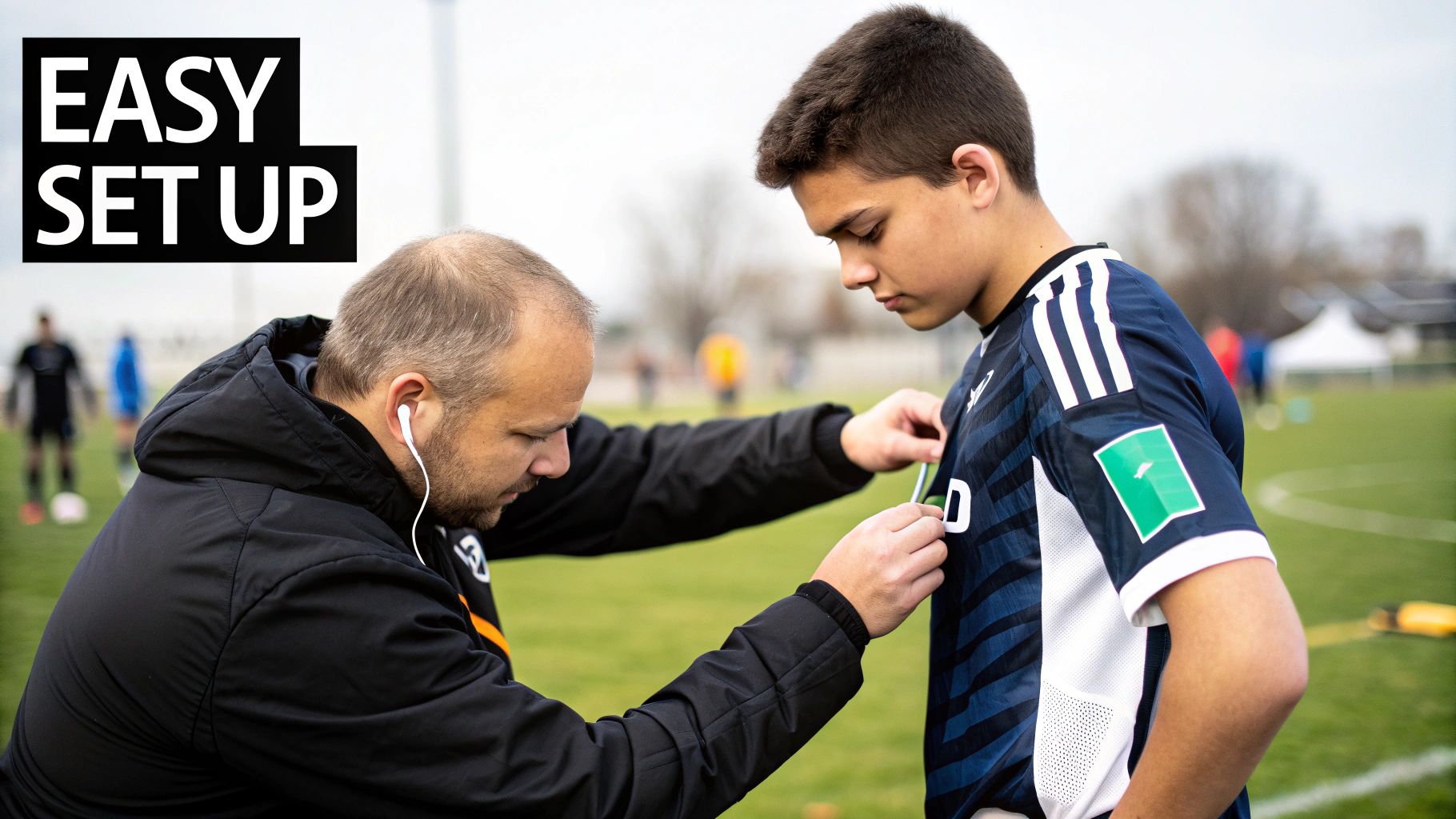
You don't need a degree in data science to do this. It really just starts with understanding a few key performance indicators (KPIs) and connecting them to what you’re seeing with your own eyes. By zeroing in on the most impactful stats, you can make informed decisions that have a direct effect on your training drills, tactical setups, and even how you give feedback to individual players.
Turning Key Metrics into Actionable Insights
Every GPS system comes with a dashboard packed with data, but for grassroots coaches, the best approach is to focus on the metrics that offer the most bang for your buck. It's easy to get lost in dozens of different data points, but mastering just a few core ones can provide immediate, practical value.
Here are three fundamental metrics and how to use them:
- Heatmaps: This is probably one of the most powerful visual tools you'll get. A heatmap shows you exactly where a player spent their time on the pitch. It's perfect for checking positional discipline. Is your holding midfielder drifting too wide and leaving a gap? Is your winger tracking back to help out the full-back? A heatmap gives you undeniable visual proof.
- Max Speed: This one is brilliant for spotting your quickest players and figuring out their best roles. A high max speed screams counter-attacking threat or a player who can chase down long balls. If you track this over a season, you can also spot fitness gains or a potential drop-off that could signal fatigue.
- Total Distance: On its own, total distance doesn't tell you everything, but it provides vital context. When you pair it with other data, it helps you build a picture of a player's work rate and endurance. You'd expect a central midfielder to cover more ground than a centre-back, and this data confirms whether they're putting in the shift required for their position.
By focusing on these KPIs, you can start building a performance profile for each player, setting benchmarks, and tracking their progress throughout the season.
Managing Player Load to Prevent Injuries
One of the biggest advantages of using the best GPS tracker for grassroots football is the ability to manage player fatigue. Overtraining is a massive cause of non-contact injuries, and keeping an eye on physical output is the best defence against it. A metric called Player Load becomes your best friend.
Player Load is a single number that sums up the total physical stress put on a player during a session. It’s clever because it’s calculated using accelerometer data, which captures every movement—jumps, turns, and impacts—not just the running.
By tracking Player Load scores over weeks and months, coaches can spot dangerous spikes in intensity. If a player who usually has a load of 300 suddenly hits 500 in a tough training session, that's a red flag. They might need a lighter day to recover properly.
This data-driven approach allows you to make much smarter rotation decisions. For instance, if two players have a similar Player Load score for the week, but one got there through high-intensity sprints while the other did it through steady-state running, their recovery needs will be completely different. This level of detail is what keeps your squad fitter and fresher for longer.
Using Data for Tactical Adjustments and Feedback
Beyond fitness, GPS data is a fantastic tool for tactical coaching and giving players objective feedback. It strips away the emotion and guesswork, replacing "I think you need to work harder" with cold, hard evidence. This makes conversations with players far more productive and easier for them to take on board.
Think about these real-world scenarios:
- Analysing Shape Under Pressure: Pull up the team heatmaps after a match to see if your defensive shape held firm or fell apart. Did the midfield and defence stay compact, or were there massive gaps for the opposition to play through?
- Identifying Counter-Attack Threats: Filter your squad list by Max Speed and Sprint Distance. The players at the top are your weapons for a fast break. You can then design drills specifically to get them on the ball in space.
- Providing Meaningful Feedback: Instead of just telling a player to "work harder," you can show them that their sprint count dropped by 40% in the second half. That opens up a constructive conversation about stamina, pacing, or even their pre-match nutrition.
This approach transforms coaching from being reactive to proactive. If you're interested in the tech behind these insights, our guide to the latest wearable football sensors for 2026 offers a deeper look at how these devices work. Ultimately, learning to interpret data correctly empowers you to build smarter, fitter, and more effective teams.
Picking the Right GPS Tracker for Your Club
The easiest way to choose is to start with your real buying situation, not the headline feature list. In practice, the right football tracker depends on how many players you need to monitor, how often you will use it, who is responsible for the data, and whether the club can live with a subscription over a full season.
Choose Based on Your Situation
| Situation | What matters most | Realistic one-season cost view | Better fit |
|---|---|---|---|
| Solo player | Sprint data, top speed, easy app, clear personal bests | One-time purchase is usually better value than paying monthly for one device | STATSports |
| Parent buying for a youth player | Motivation, simple sync, safe vest comfort, no confusing reporting | Upfront spend is easier to budget; subscription often feels wasteful if use drops in winter | STATSports |
| Small amateur squad | Core metrics, manageable cost, enough battery for matchday, simple setup | Buying outright avoids stacking recurring fees across several units | STATSports or Playertek+ |
| Coach managing 15-20 players | Central dashboard, squad comparisons, workload visibility, admin controls | Subscription can be justified if the coach actively uses team-wide reporting every week | Catapult One |
For a solo player, I would prioritise useful sprint numbers and an app that makes progress obvious without extra admin. That pushes the decision toward STATSports. The upfront cost is higher than spreading payments, but over a season it is usually the cleaner value play.
For a parent buying for a youth player, simplicity matters more than dashboard depth. The best option is usually the one the player wears, syncs, and checks after sessions. A subscription model can feel excessive if the player trains inconsistently or takes a break mid-season, so ownership often makes more sense.
For a small amateur squad, cost control becomes the big issue. If the club wants a reliable football tracker for team training but does not have a dedicated analyst, STATSports is the more rounded choice and Playertek+ is the cheaper entry point. The tradeoff is depth: STATSports gives more useful sprint and heatmap context, while Playertek+ is more about getting the basics in place.
For a coach managing 15 to 20 players, Catapult becomes more persuasive because the value is in the workflow, not just the hardware. What stood out to us in this scenario was how much time a better dashboard can save when you need quick squad-level decisions rather than polished player-facing visuals.
Subscription vs Upfront Purchase Over a Season
This is the financial choice that catches clubs out. An upfront-purchase device usually costs more on day one, but it is easier to justify across one or two seasons because the club keeps the hardware and does not need to preserve access through monthly payments. A subscription system can soften the entry price, yet the full-season cost becomes harder to manage once you add more players.
If the tracker will be used mainly by one player or a small club, I would usually favour the upfront model. If the whole purpose is squad monitoring, central reporting, and coach oversight every week, the subscription may be worth it because the software is doing more of the heavy lifting.
What to Check Before Buying Multiple Units
Before any grassroots club buys in bulk, check four things: how the app handles admin, how you will keep units charged, how easy it is to assign the same devices to the right players every week, and whether the reports are simple enough for a coach to use without a sports-science background. Those workflow details matter more than an extra metric you will never open.
On the software side, good team platforms should let you review a session quickly, compare players easily, and avoid messy manual steps. If you want a broader sense of what dependable device ecosystems look like, this piece from Sheridan Technologies is a useful read on high-reliability IoT and fleet management systems. That mindset applies here too: football wearables are easier to run when the hardware, charging, assignment, and reporting all work as one process.
With around 4.2 million people in the UK playing weekly in 2024, the demand for this kind of accessible tech is massive. You can read more about the growth of grassroots football at Team Grassroots.
Frequently Asked Questions
What is the best app for tracking football stats?
For grassroots use, the best app is usually the one tied to the tracker that fits your setup. STATSports is stronger for player-facing stats and motivation, while Catapult is better if a coach wants to compare multiple players in one dashboard. If you only need simple session feedback, the more basic platforms can still be enough.
Which GPS tracker is most accurate?
Among the options covered here, STATSports is usually the safest answer for readers who care most about reliable football movement data. Its APEX Athlete Series is built around team-performance tracking and is widely trusted for speed and running outputs. That said, accuracy also depends on fit, signal conditions, and whether you care about individual review or squad-level context.
What GPS trackers work best for tracking running in a soccer game?
The best choices are football-specific wearables rather than generic wrist-based running devices. STATSports and Catapult are the stronger picks because they are built to capture repeated sprints, accelerations, top speed, and workload in match conditions. For grassroots players, STATSports is usually the better balance of cost and useful output.
Can I get a football GPS tracker that provides heatmaps and metrics?
Yes. STATSports, Catapult, and Playertek+ all offer heatmaps along with core metrics such as distance, speed, and sprint-related outputs. The difference is in presentation: STATSports tends to be clearer for players, while Catapult is stronger for coaches looking across a squad.
Are GPS trackers accurate enough for grassroots football?
Yes, absolutely. The modern GPS trackers from the big brands are more than accurate enough for key metrics like distance covered, top speed, and the number of sprints. They give you reliable data to inform coaching decisions at the grassroots level.
Let's be realistic, they won’t offer the same hyper-precise detail as the elite systems that pro clubs spend thousands on. But for managing player workload, tracking fitness improvements, and giving objective feedback, their data is consistent and valuable.
Do all trackers need a subscription?
No. Some systems use subscriptions, but others are based on a one-time purchase. Catapult One is the best-known subscription-style option in this comparison, while STATSports and Playertek+ are generally more attractive to buyers who want to own the device and avoid ongoing software fees.
How hard is it to manage for a whole team?
It is manageable if the app is designed properly, but team use always adds admin. You need a routine for charging units, assigning them to the right players, syncing data, and reviewing the reports quickly after training. In our view, Catapult is the easiest of these options for coach-led squad management, while STATSports works well for smaller team setups.
What is the FIFA approved GPS performance tracker?
There is no single grassroots device that everyone should assume is "the" FIFA-approved option. At elite level, wearable tracking systems may be used within competition rules and approval processes, but amateur buyers should focus less on that label and more on whether the tracker is practical, reliable, and allowed by their league or competition. For most clubs, usability matters far more than pro-level certification language.
Are any football GPS trackers FIFA approved?
Some wearable technologies used in football operate within elite competition frameworks, but that does not automatically make approval status the deciding factor for grassroots players. If you are buying for Sunday league, academy training, or youth development, check league rules, comfort, and data usefulness first. A tracker can be excellent for coaching without needing to be sold on a FIFA angle.
At SoccerWares, we provide the tools you need to take your team's performance to the next level. Explore our collection of GPS trackers and other training essentials today.
Find the perfect gear for your club at SoccerWares.