

Want to record football games automatically? It’s simpler than you might think. The easiest way is with an AI-powered sports camera designed to track the ball and players without a human operator. Alternatively, a more hands-on setup involves a PTZ (Pan-Tilt-Zoom) camera linked to scheduling software. Either way, you get to ditch the camera duties and never miss a key moment again.
Your Blueprint for Hands-Free Match Recording
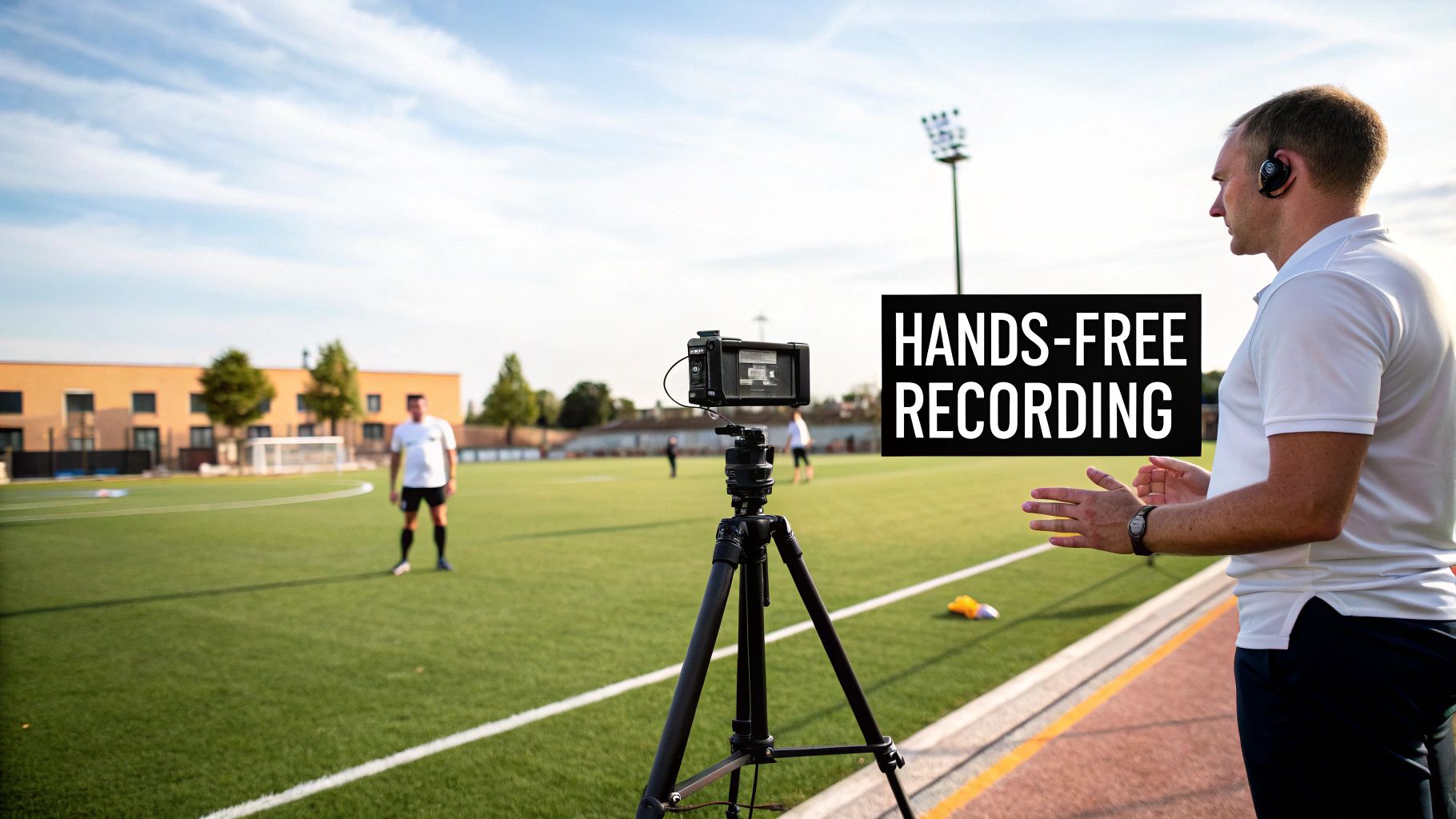
Imagine capturing every goal, tackle, and tactical switch without ever touching a record button. This is a massive help for coaches needing game footage for analysis, parents wanting to save their child's highlights, or players studying their own performance. Automated recording is a genuine game-changer, and this guide will walk you through setting up a system that does the filming for you.
We’ll look at how AI cameras, clever software, and the right positioning come together to create a true 'set it and forget it' solution. Thanks to today's technology, you no longer need someone glued to the sidelines, panning and zooming. Intelligent auto-tracking, powered by AI, can follow the ball, sweep across the pitch, and keep the important action in focus.
The Rise of Automated Filming
This shift towards automation is a huge win for clubs and individuals at every level. It makes high-quality game footage, once reserved for professional teams with big budgets, accessible to everyone. Whether you're a Sunday league team or a youth academy, the benefits are clear:
- Consistent Footage: An automated system never gets distracted. It keeps the action in the frame, every time.
- Focus on Coaching: Coaches can concentrate on the game and manage their players, not fiddle with a camera.
- Player Development: When players can easily watch their matches back, they spot mistakes and see where they can improve.
- Cost-Effectiveness: It cuts out the recurring cost and hassle of hiring a videographer for every single match.
The conversation is even moving beyond just filming. As the technology improves, many are wondering what it means for traditional roles. If you're curious, we explore this in our article on whether AI football cameras will replace videographers. For now, let's focus on the practical steps—from budget-friendly smartphone setups to pro-level systems—so you can get started.
Choosing the Right Camera and Gear
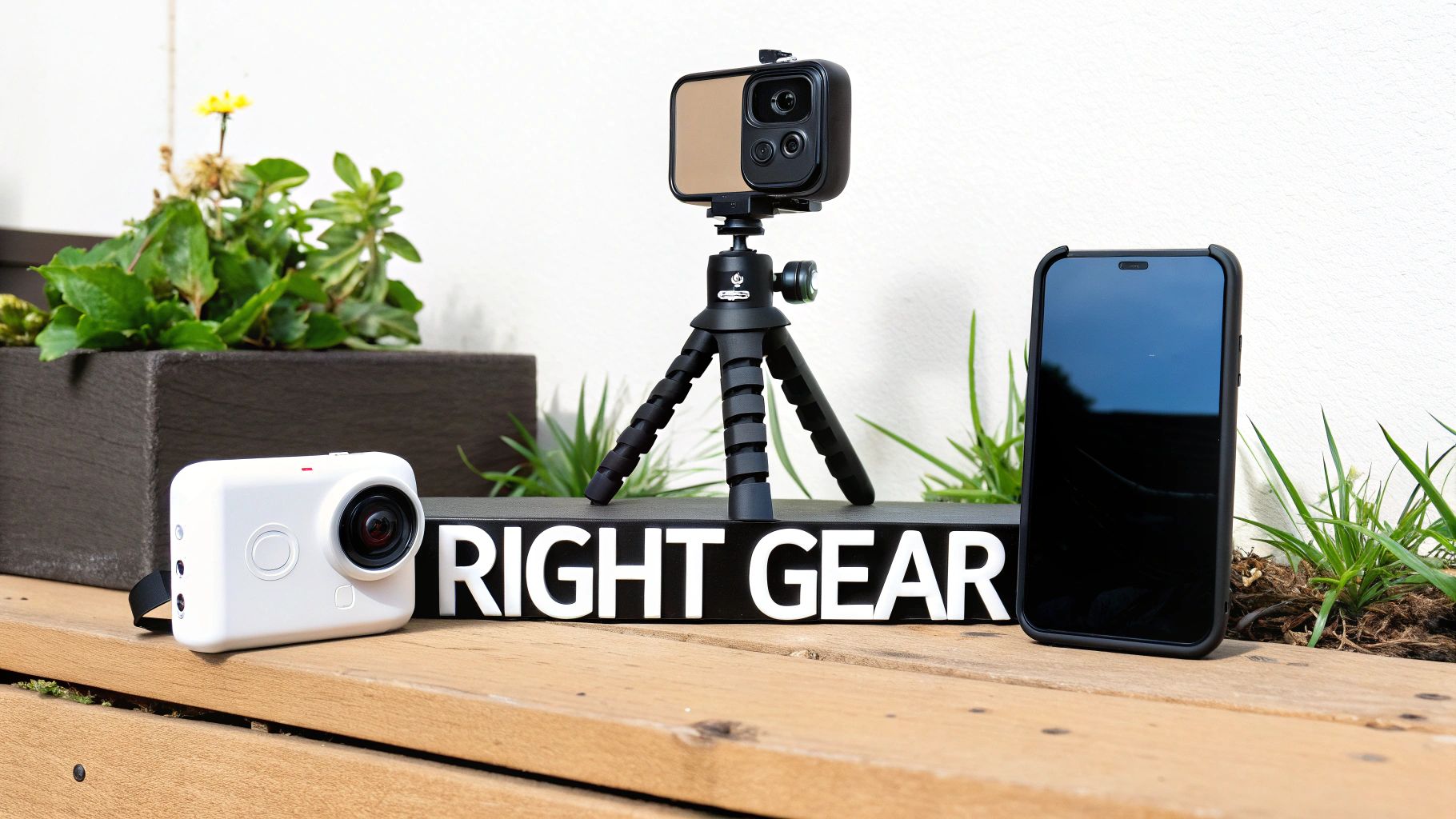
Your entire automated recording setup hinges on the kit you choose. Let's be honest, the camera and gear are the most important part of the puzzle. Get this right, and you’ll have clear, stable footage match after match.
The options out there are vast, from specialist AI cameras built for sport to more flexible setups you can piece together yourself. What’s right for you really comes down to your budget, your goals, and how much tinkering you want to do.
Dedicated AI Sports Cameras
If you want a truly ‘set it and forget it’ experience, this is where you should be looking. Dedicated AI sports cameras are purpose-built to follow the action on the pitch all by themselves. They use sophisticated algorithms, trained on thousands of hours of football, to track the ball and players, panning and zooming just like a professional camera operator.
Here’s why they’re so popular:
- Intelligent Tracking: This is their superpower. They follow the play without any human help, meaning you won’t miss that last-minute winner.
- Wide-Angle View: Most use wide or dual lenses to capture the whole pitch, giving you that all-important tactical overview for analysis.
- Simple Setup: They're designed to be easy. You normally just mount it on a tripod at the halfway line, connect to an app on your phone, and hit record.
These cameras are the top-tier option, offering the smoothest automated recording you can get. If you’re leaning this way, our guide to the best AI sports cameras for 2025 is a great place to compare the latest models.
Versatile PTZ Cameras
A more hands-on alternative is a Pan-Tilt-Zoom (PTZ) camera. While they aren't 'smart' like their AI cousins, you can programme PTZ cameras to move in specific ways, which gives you a decent level of automation. You could, for instance, set one to pan slowly across the midfield or follow a pre-set pattern.
This approach does require more setup and a bit of technical know-how. You’ll usually need to pair it with a Network Video Recorder (NVR) or specific software to schedule your recordings and control the camera’s movements. Getting familiar with good video surveillance camera systems can give you a solid understanding of the components that make these setups work.
Budget-Friendly Solutions
You don’t need a Premier League budget to start recording your games automatically. Modern action cameras and even the smartphone in your pocket have incredible video quality and can be adapted for the job with the right equipment.
- Action Cameras (e.g., GoPro): Famous for being tough and having wide-angle lenses, an action cam is a brilliant choice. Mount one on a tall tripod, and you can capture a great static, wide view of the whole pitch. Some even have time-lapse modes, which can be a cool way to condense an entire match.
- Smartphones: The camera on your phone is probably more powerful than you realise. With a decent tripod and an app that offers AI tracking, you can turn it into a surprisingly effective smart sports camera. For many people, this is the most accessible way to get started.
Key Takeaway: The best camera for you strikes a balance between automation and budget. AI cameras offer a completely hands-off experience, but a simple smartphone setup is a fantastic, low-cost way to get in the game.
Essential Gear You Can't Forget
Whatever camera you pick, there are a few accessories that are non-negotiable if you want good, reliable recordings.
| Accessory | Why It's Crucial |
|---|---|
| Sturdy Tripod | A tall, stable tripod is an absolute must. It has to get the camera high enough to see over heads and players for a clear view. |
| Power Bank | A 90-minute match plus stoppage time will drain most camera batteries. A high-capacity power bank is essential. |
| Weatherproof Case | In the UK, the weather is unpredictable. A waterproof or weather-resistant case will protect your camera from the elements. |
| Memory Cards | You'll need high-quality, large-capacity SD cards to store all that high-resolution footage without running out of space mid-game. |
Ultimately, choosing your camera and gear is the first big step. Think carefully about your team's needs, what you can afford, and how automated you want the process to be. Get that right, and you'll have a reliable setup that serves you well for seasons to come.
Finding the Right Recording Software
The camera might be the eye, but the software is the brain behind any automated recording setup. It's the component that tells the camera where to look, when to record, and how to make sense of the action on the pitch. Honestly, picking the right software is just as important as the camera itself—it completely defines how you'll use your footage.
The world of football recording software breaks down into a few camps. You've got the all-in-one platforms that come with specific AI cameras, more flexible solutions for custom PTZ or IP camera rigs, and finally, some surprisingly clever mobile apps that turn your phone into a smart recorder. Each has its place, depending on your budget and how hands-on you want to be.
Dedicated Sports Recording Platforms
For a truly set-it-and-forget-it experience, dedicated platforms are the way to go. These are usually subscription-based services tied to a specific AI camera, with Veo being the most well-known example. The software is built from the ground up to understand football, using AI to track the ball and even zoom in on key moments without anyone touching a thing.
These platforms are seriously powerful because they do everything from recording to analysis:
- AI-Powered Auto-Tracking: This is the core magic. The software has been trained on thousands of hours of football, so it knows how to follow the play and keep the ball in the frame.
- Automatic Highlight Generation: Many can automatically spot and clip key events like goals, shots, and saves. This feature alone saves coaches countless hours of sifting through footage after a match.
- Cloud Processing and Storage: After the game, you upload the footage to the cloud. It gets processed, stored securely, and becomes easy to share with players and parents anywhere.
The only real catch is that you're buying into a specific ecosystem. The software is designed to work flawlessly with its own camera, but you can't use it with other hardware.
Network Video Recorders for Custom Setups
If you've gone down the route of a more traditional setup with PTZ or IP cameras, a Network Video Recorder (NVR) is your command centre. An NVR is either a piece of hardware or a software programme that manages multiple camera feeds, letting you schedule recordings and store everything locally.
Think of an NVR as a high-tech DVR, originally designed for security but perfect for sports. It gives you total control. You can programme it to start recording five minutes before kick-off and stop right after the final whistle, making sure you capture the whole match without wasting hard drive space on an empty pitch.
Pro Tip: Before you buy an NVR, always check its camera compatibility list. Not all NVRs play nicely with all camera brands, and making sure they can communicate with each other will save you a massive headache.
The big win here is flexibility. You can mix and match cameras from different manufacturers and run them all from one hub. The downside? It demands a bit more technical know-how to set up and won't give you the clever AI tracking or auto-highlights you get with dedicated platforms.
Innovative Mobile Apps
The easiest and cheapest way to dip your toes into automated recording is right on your smartphone. A new wave of mobile apps uses your phone's powerful camera and processor to mimic what the expensive AI systems do. Apps like Trace or Sporfie, or even built-in features on the latest phones, offer basic subject tracking.
These apps lock onto a player or the ball and do their best to follow the action automatically. While they aren't as smooth or reliable as a dedicated AI camera, they're a brilliant, low-cost way to get started. This is perfect for a parent recording their child's match from the sidelines or a player wanting to review their own movement in training. The demand for accessible footage just shows the massive passion for the game at all levels. You only have to look at the attendance figures for top-tier clubs to see the scale of interest; you can discover more insights about English Premier League attendance on Statista.
Comparing Software Features
So, when you're weighing your options, here’s how the key features stack up:
| Feature | Dedicated Platform | NVR Software | Mobile App |
|---|---|---|---|
| Auto-Tracking | Advanced AI tracking | Manual or pre-set patterns | Basic subject tracking |
| Highlight Reels | Often fully automated | Requires manual editing | Limited or none |
| Ease of Use | Very user-friendly | Requires technical setup | Simple to operate |
| Cost Model | Subscription-based | One-time purchase | Free or low-cost |
| Hardware | Works with specific camera | Compatible with many brands | Uses your smartphone |
Ultimately, your software choice shapes your whole recording workflow. If you value convenience and powerful analysis tools, a dedicated platform is unbeatable. If you prefer to build a custom system with more control, an NVR offers fantastic flexibility. And for anyone just starting out, a mobile app is a simple, effective way in.
How to Position Your Camera for the Best View
Even the best AI camera in the world can't save you from a simple mistake: bad positioning. Where you place your camera is everything. A poor spot means you’ll get missed plays, horrible sun glare, or a perfect view of the substitute’s bench.
Getting this right is the final piece of the puzzle. It’s not just about finding any old spot with a clear view; it’s about finding the optimal spot that gives you the tactical context you need. This is how you capture footage that actually helps a coach break down a formation or a striker perfect their runs.
The Classic Midfield View
Ask any analyst, and they'll tell you the same thing: the best spot for an overall game view is high up at the halfway line. This is the gold standard for a reason. Placing your camera here gives you that balanced, panoramic perspective of the entire pitch, which is absolutely essential for any kind of tactical review.
From this vantage point, you see it all:
- Team Shape: How your defensive and midfield lines hold their structure.
- Player Spacing: The gaps between players, both when you have the ball and when you don't.
- Switching Play: Capturing those sweeping long passes from one flank to the other.
To pull this off, you need some height. A tripod that extends to at least 4-5 metres (around 13-16 feet) is what you're aiming for. This elevation gets your lens over the heads of anyone on the sidelines and provides that classic broadcast-style angle where you can see formations clearly.
Key Insight: The whole point of the midfield view is tactical clarity. You want to see how the team moves as one unit. If your players look like tiny ants, you're too far; if you can't see both wings at once, you're too close.
Behind-the-Goal Angles
While the midfield view is king for tactics, a behind-the-goal position offers a completely different, and equally valuable, perspective. This angle is superb for zeroing in on specific parts of attacking and defensive play.
It’s especially useful for:
- Shooting Analysis: Reviewing a striker's technique, runs, and decision-making in the box.
- Goalkeeper Performance: Assessing a keeper's starting position, diving form, and command of their area.
- Set-Piece Breakdowns: Seeing how attacking runs are made during corners, or how a defensive wall is organised.
Place a camera here during a training session, particularly near equipment like pop-up goals, and you can give incredibly focused feedback. It lets your strikers see exactly what the keeper sees, and vice-versa.
Nailing the Technical Details
Once you’ve picked your spot, a few final checks will ensure you get clean, stable footage every time. Don’t skip these—they can be the difference between a great recording and a useless one.
Mind the Sun
The biggest enemy of any outdoor filming is the sun. Point your camera directly into it, and you'll get backlit footage where players are just dark silhouettes against a blindingly bright sky. Before you set up, work out where the sun is and where it’s going to be later in the match. The golden rule is simple: always try to keep the sun behind your camera.
Secure Your Tripod
Wind is another classic problem, especially on an open pitch. A wobbly camera means shaky, unusable footage. Ensure your tripod is on stable, level ground. If it's a bit blustery, weigh it down. Sandbags are great, but even a heavy kit bag hooked onto the centre column can add the stability you need to keep your shots steady.
Power and Connectivity
Your camera must last the full 90 minutes plus any stoppage time. Make sure your battery is fully charged, and always pack a high-capacity power bank just in case. If you're using a smart camera that needs an internet connection for live streaming or initial setup, test the signal at your chosen spot before kick-off. Poor connectivity can throw a spanner in the works, so it's worth getting familiar with the process. For instance, our guide on how to set up the XbotGo Chameleon camera for football walks you through these exact connectivity checks.
Combine a great location with these technical best practices, and you give your automated system the best possible view to work with. This thoughtful approach is what separates amateur-hour footage from a genuinely powerful coaching tool.
Fine-Tuning Your System for Automated Recording
You’ve picked your camera, found the perfect spot for it, and chosen your software. Now for the crucial part: telling your system exactly what to do and when to do it. This is where you set everything up to run on its own, so you can focus on the match, not the record button. A few simple tweaks here will turn your setup into a proper hands-free filming solution.
First up, let’s get the scheduling sorted. Pretty much any dedicated recording platform or NVR has a scheduling feature. Instead of scrambling to hit record right at kick-off, you can tell the system to start filming five minutes before the match and stop ten minutes after the final whistle. It’s a simple change, but it means you’ll capture the warm-ups, the full game, and any post-match handshakes without lifting a finger.
Setting Up Smart Recording Triggers
Want to get even smarter? Move beyond basic schedules and use intelligent triggers. This tells your camera to record only when there’s actually something happening on the pitch. It's a brilliant way to save storage space and avoid having to fast-forward through hours of footage of an empty field.
You'll generally come across two types of triggers:
- Motion Detection: This is the most common. The camera starts recording the moment it picks up movement in a specific area. You can usually tweak the sensitivity so it isn’t set off by a bird flying past or someone walking along the sidelines.
- AI-Driven Triggers: More advanced setups use AI to recognise what’s happening. You can configure the software to start recording only when it detects players on the pitch or even specific in-game actions.
Using triggers like these ensures your recordings are tight, focused, and all about the match itself.
This infographic is a great little reminder of why camera placement is so important for all of this to work effectively.
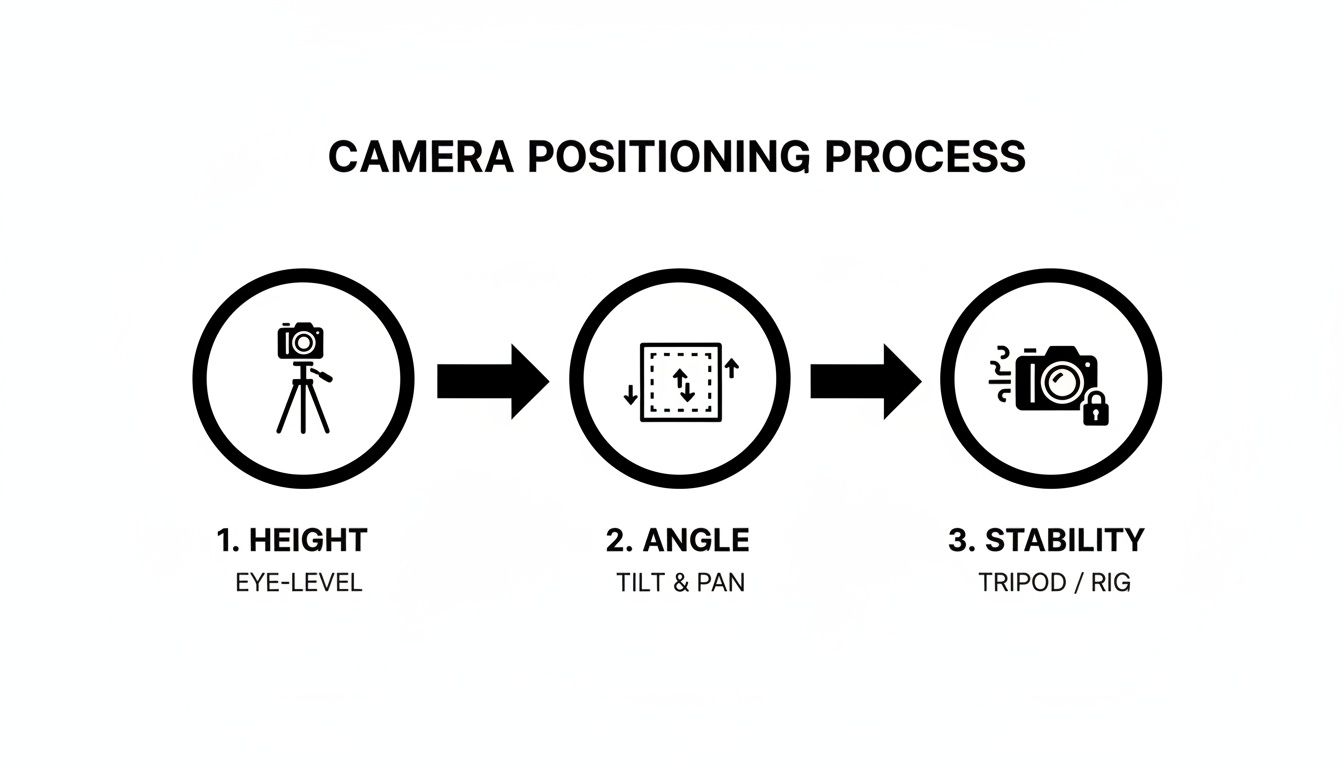
Getting the height, angle, and stability right from the start is what allows your automated tracking and recording triggers to perform at their best.
Calibrating AI Tracking for Smoothness
If you've gone for an AI camera, this next step is crucial. The tracking is usually pretty good straight out of the box, but a little calibration can make it look incredible. Most AI platforms let you adjust how smoothly the camera follows the ball. The aim is to get rid of any sudden, jerky movements that can make the footage hard to watch.
Pro Tip: Take your camera to a training session and play around with the tracking sensitivity. We've found that a slightly lower sensitivity often creates a more natural, broadcast-style feel. A higher setting, on the other hand, might be better for capturing fast-paced drills where you don’t want to lose the ball for a second.
This fine-tuning process is what will make your final footage look polished and professional. Getting that balance right is a key part of learning how to record football games automatically. And don't worry if you're working with a tighter budget—many of these principles still apply. For some great ideas, check out our guide on building the best budget football recording setup for under £500.
Activating Automatic Highlight Generation
Now for one of the most useful features in modern recording software: automatic highlight generation. The system’s AI goes through the entire match and intelligently snips out the key moments—goals, near misses, big saves, crucial tackles—and packages them into a ready-to-share highlights reel.
For a coach or team manager, turning this feature on is an absolute game-changer. Instead of spending hours scrubbing through 90 minutes of footage, you get a short, sharp video of the most important moments, delivered automatically.
For a truly hands-off experience, some systems are even paired with cameras that send instant updates to your phone, giving you clips and alerts in real-time. This level of automation transforms your camera from a simple recording device into a powerful tool for creating engaging content.
Still Have Questions About Automated Recording?
Jumping into the world of automated football recording can feel like a big step up from just using your phone on the sidelines. It's completely normal to have a few questions before you commit. We get asked a lot by coaches, parents, and clubs, so we’ve put together the most common queries to give you some straight answers.
Think of this as your quick-fire FAQ. We'll cover everything from the realities of British weather to video quality and getting the footage to your team.
How Do These Cameras Cope with Bad Weather?
This is probably the biggest concern for anyone filming football in the UK, and for good reason! The great news is that most dedicated AI and sports cameras are built to be robust. You’ll want to look for an IP rating (like IPX4 or higher), which basically means they’re designed to handle rain, wind, and a bit of cold without packing in.
That said, weather-resistant doesn't mean indestructible. If you know it's going to be a proper downpour, using a simple rain cover or a proper weatherproof housing is a smart move. It's a small extra step that could save you a very costly repair bill later on.
What's the Battery Life Like?
A dead battery halfway through the second half is every coach's nightmare. Thankfully, most automated sports cameras are designed to last well beyond a single 90-minute match. You can typically expect three to four hours of continuous recording from a full charge, which easily covers warm-ups, the game itself, and any stoppage time.
Our Recommendation: Never leave for a match without a fully charged battery. If you have back-to-back games or a long tournament weekend, a high-capacity external power bank is an essential bit of kit. It’s the difference between capturing everything and missing the final whistle.
Is the Video Quality Good Enough for Proper Analysis?
Absolutely. The standard for most modern automated cameras these days is 1080p (Full HD), with many now offering 4K resolution. This level of detail is more than enough for really effective performance analysis.
With 4K footage, you can zoom in on a player during a replay to check their body shape or positioning without the picture turning into a blurry mess. That clarity is invaluable for coaches breaking down formations or for players wanting to study their own movement. A lot of systems also record at a high frame rate (like 60 frames per second), which makes slow-motion playback incredibly smooth and clear.
How Easy Is It to Actually Share the Footage?
This is where these systems truly shine. The days of struggling with USB sticks or trying to send massive video files are over. Most modern platforms have made sharing incredibly straightforward.
The typical workflow looks something like this:
- After the game, the footage is uploaded to a cloud platform.
- The software processes the video, often creating automatic highlights as it goes.
- You then get a simple link to share with players, parents, or other coaches.
They can then log in to watch the full match, check out the highlight reel, and even drop comments directly on the video. It turns the footage into a collaborative space for feedback and makes it accessible to everyone, no matter where they are. This ease of use is a massive reason why learning how to record football games automatically is such a game-changer for teams.
Ready to capture every moment on the pitch? At SoccerWares, we provide the training essentials and high-quality gear to support your team's journey, from grassroots to the big leagues. Explore our collection of performance equipment and fan apparel today.